
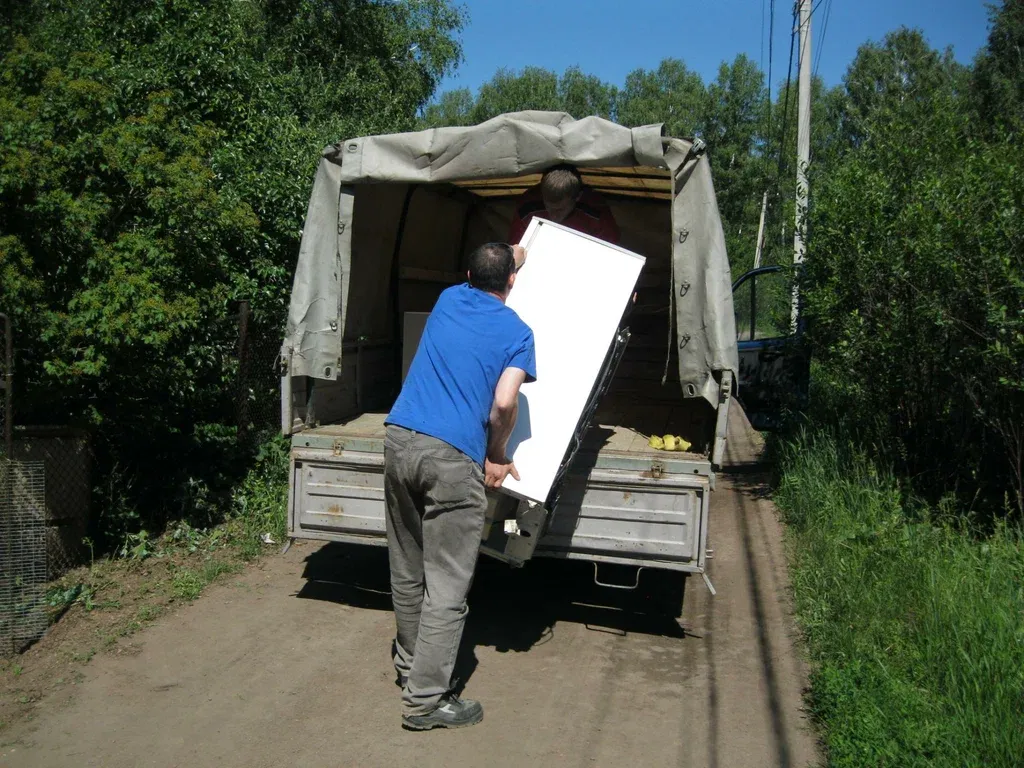
Electronic waste removal sounds simple. A truck shows up, takes your old TV, and the problem disappears. But where does that TV actually go once it leaves your driveway?
Most people never find out. They assume it gets “recycled” and leave it there. The truth is more interesting, and it explains why using a responsible e-waste hauler matters so much. Your old laptop, printer, and cracked phone contain valuable metals, hazardous materials, and personal data. How they are handled afterward makes a real difference.
Here is the full journey, from pickup to proper processing, so you know exactly what to expect and what to look for.
What Counts as E-Waste, and Why It Can’t Go in the Trash
E-waste, short for electronic waste, is any discarded device with a plug, battery, or circuit board. Think computers, monitors, TVs, printers, phones, tablets, game consoles, routers, cables, and small appliances.
These items are not like old furniture. Inside the plastic shell you’ll find circuit boards, lithium-ion batteries, wiring, and sometimes materials like lead or mercury, depending on the age and type of the device. Burying that in a landfill wastes the valuable materials and risks letting harmful substances leak into soil and groundwater.
That is why many states and local governments restrict or ban certain electronics in regular trash. Rules differ from place to place, so check your local requirements. Either way, proper electronics recycling is the better path, and professional electronic waste removal makes it easy.
What Happens to Your Electronics After Pickup
While every recycler runs things a little differently, responsible e-waste disposal generally follows the same stages. Here is what that looks like in plain language.
Step 1: Pickup and Safe Transport
It starts when your items are loaded onto a truck. A good hauler handles devices carefully. Cracked screens, broken batteries, and tangled cords can create hazards if they are tossed in like regular junk.
Batteries deserve extra care. A damaged lithium-ion battery can overheat or catch fire if it is punctured or crushed. Professional crews know to keep these separate and stack heavy items so nothing gets smashed in transit.
Step 2: Sorting and Inventory at the Facility
Once the load arrives at a recycling facility, workers sort it. Devices are separated by type, such as computers, monitors, TVs, phones, and small household electronics. Many facilities also log items by category or count, especially for businesses that need records.
This step matters because different electronics need different handling. A flat-screen TV and a desktop tower may both be “electronics,” but they contain different materials and follow different routes.
Step 3: Data Destruction for Devices That Store Information
This is the part most people worry about, and rightly so. Computers, phones, tablets, and servers can hold tax returns, photos, passwords, and business files.
Professional recyclers deal with this through data destruction. Depending on the device and the service, this may include data wiping (overwriting the storage so files cannot be recovered) or physically destroying the hard drive by shredding it. In simple terms, they make sure no one can pull your information off the device after it leaves your hands.
Here’s something worth knowing: simply deleting files or doing a quick reset does not always remove everything. Deleted data can sometimes be recovered with the right tools, which is why you should ask any recycler how they handle data security.
Step 4: Testing, Reuse, and Refurbishing
Not everything that gets collected is trash. Some devices still work, or can be repaired with minor fixes. Recyclers may test items to see if they can be refurbished and resold or donated.
Reuse is often better for the environment than recycling because it keeps a device in use without needing to break it down and make something new. A working monitor, for example, might get a second life instead of being shredded.
Step 5: Manual Dismantling and Hazard Removal
Devices that cannot be reused go to dismantling. Workers take them apart by hand, pulling out parts that need special handling before anything goes into a machine.
This stage includes removing:
- Batteries, which are sent to separate battery recycling streams
- Circuit boards, which hold the most valuable metals
- Older display components, such as the leaded glass in CRT monitors and TVs, or backlight lamps that may contain mercury in some older flat panels
- Toner cartridges and ink, from printers and copiers
- Plastic housings, wiring, and metal frames, which are sorted for their own recycling paths
Doing this by hand keeps hazardous materials from contaminating everything else and improves the quality of the recovered materials.
Step 6: Shredding and Material Separation
After dismantling, the remaining parts are fed into shredders that break them into small pieces. Then comes the clever part: separating all those mixed fragments.
Facilities use a combination of tools to do this. Magnets pull out iron and steel. Eddy current separators use a changing magnetic field to push non-iron metals like aluminum and copper away from other materials. Other systems separate material by weight or density, so plastics, glass, and metals end up in different piles.
Think of it like panning for gold, only with powerful machinery doing the sorting instead of a pan and a creek.
Step 7: Material Recovery and Refining
Once separated, the materials are sent to downstream processors. Metals are melted and refined so they can become new products. Plastics are processed for reuse. Glass is recycled or treated according to its type.
Circuit boards are especially valuable. They contain small amounts of metals such as copper, gold, silver, and palladium, which specialty refiners can recover and put back into the manufacturing supply chain. That is the heart of e-waste recycling: turning yesterday’s electronics into raw materials for tomorrow’s products.
Anything that cannot be recovered is handled as hazardous or residual waste under the rules that apply to it.
Step 8: Documentation and Certificates
The final step is paperwork, and it is more important than it sounds. Many recyclers provide a certificate of recycling or a destruction certificate, especially for businesses. It shows what was collected and how it was processed.
If you are a business owner handling old company computers, that documentation can matter for compliance and your own records.
Common Myths About E-Waste Recycling
So, what do people usually get wrong? A few misunderstandings come up again and again.
“It all ends up in a landfill.” Not when it is handled by a responsible recycler. Most of the material in electronics, from metals to plastics, can be recovered.
“All e-waste gets shipped overseas.” This does happen in the industry, and it is a real concern when companies are not transparent. That is exactly why you should ask where materials go and look for recyclers that follow recognized standards.
“Deleting my files is enough.” As covered above, deleted does not always mean gone. Proper data destruction is a separate step.
“One old phone is not a big deal.” One device is small. Millions of them add up. Each one contains materials worth recovering and parts worth keeping out of the trash.
How to Tell If a Company Handles Electronic Waste Removal Responsibly
Not every company that offers to take your electronics handles them properly. Some just haul the load to a dump or pass it to the cheapest buyer. Here’s what to ask before you hire anyone:
- Where do the electronics go? A reputable company can tell you who processes them.
- Do they work with certified recyclers? Recognized standards like R2 and e-Stewards exist for electronics recyclers. Ask whether the facility holds one and ask to see proof.
- How do they handle data? Ask about wiping or hard drive destruction, and whether you can get documentation.
- Will you receive paperwork? This is especially useful for businesses.
- Are they transparent about fees? Vague pricing is a red flag.
A trustworthy provider welcomes these questions. If someone gets defensive or vague, move on.
How to Prepare Your Electronics Before Pickup
A little prep makes the process smoother and safer for you.
- Back up what you want to keep. Photos, documents, and contacts cannot be recovered once the device is gone.
- Sign out of accounts. Log out of cloud services, app stores, and any device-linked accounts.
- Run a factory reset. This is a good first step, but it is not a replacement for professional data destruction on sensitive devices.
- Remove SIM cards and memory cards. Keep what you need.
- Gather everything in one spot. Group items together, including cables and accessories, so the crew can load quickly.
- Tell the crew about damaged items. Swollen batteries and cracked devices need extra care.
Responsible Electronic Waste Removal Starts With One Phone Call
Now you know the path your old electronics take: careful pickup, sorting, data destruction, reuse where possible, hand dismantling, shredding, and material recovery. Done right, a pile of outdated devices becomes raw material for new products instead of a problem for the environment.
So the next time a closet full of old computers, dead printers, or an unused TV is getting in your way, reach out to EJ Haul LLC. We provide professional electronic waste removal, backed by a team that has spent years helping homeowners and businesses clear out unwanted items the right way. Call 314-465-9867 or visit https://ejhaul86.com/electronic-waste-removal-in-st-louis-mo/ to learn more about how we can help you.
Frequently Asked Questions About E-Waste Recycling and Disposal
Can I throw old electronics in the regular trash?
Often, no. Many areas restrict electronics in household trash because of the materials inside them. Check your local rules, or use a professional electronic waste removal service.
Is my personal data safe when I recycle a computer?
It can be, if the recycler uses real data destruction, such as wiping or shredding the drive. Ask how they handle it, and back up and reset your device before pickup.
What types of electronics can be recycled?
Most can, including computers, laptops, monitors, TVs, printers, phones, tablets, cables, and small appliances. Some items, like batteries and CRT TVs, need special handling, so mention them when you schedule.
How long does e-waste recycling take?
Pickup can often happen quickly, but full processing takes longer because items move through sorting, data destruction, dismantling, and material recovery before the materials are sold or refined.
Can businesses get documentation for recycled equipment?
Many recyclers offer certificates of recycling or data destruction, which can help businesses with record keeping and compliance. Ask for this when you book the service.